
22nd May 2026
Helping clients stay safe and connected: The SquareGlow system explained
A practical, product-by-product guide to SquareGlow's visual and vibrating alert solutions — what they do, who they're for, and how to choose the right fit for the people you support.
Who this guide is for:
Disability Support Workers helping clients obtain the goods and services they need, and Allied Health professionals (OTs, audiologists, rehabilitation specialists) assessing and recommending assistive technology for clients with hearing loss or deafness.
When a person is Deaf or hard of hearing, everyday moments that most people take for granted — someone knocking at the door, a visitor arriving in the driveway, the phone ringing — become invisible. The result isn't just inconvenience; it's a genuine safety and independence issue, both at home and in the workplace.
SquareGlow is available in Australia from Maximise Technology to provide a range of wireless smart alert products designed to bridge that gap. Instead of relying on sound, SquareGlow devices deliver alerts through bright flashing lights and wearable vibrating signals — channels a person with hearing loss can actually perceive and rely on.
This guide walks through the full SquareGlow product range available at Maximise Technology, explaining how each product works, the situations it's best suited to, and what to consider when recommending it to a client.
How SquareGlow works: the core concept
SquareGlow is built around a simple but powerful idea: every alert in a home or workplace should be able to reach a person who can't hear it.
The system pairs trigger devices (sensors, doorbells, buttons) with alert devices (flashers, strobes, wearable vibrators). When a trigger is activated — say, someone presses the doorbell, or a motion sensor detects movement — the paired alert device fires immediately, either flooding a room with a bright flash or tapping the user's wrist or body.
Some SquareGlow products are WiFi-connected, meaning they integrate with home networks and can be monitored or configured via app. Others are non-WiFi (standalone wireless), using a direct radio-frequency signal between transmitter and receiver — ideal for clients in settings without reliable internet, or for those who prefer a simpler, more robust setup.
Key clinical consideration
For clients who are DeafBlind, or who have both hearing and significant visual impairment, the wearable vibrating option (Tap It) is often the most appropriate recommendation. For clients who are hard of hearing with functional vision, visual flashers and strobes typically offer the most natural and least intrusive experience.
The full product range at a glance
There are 13 products in the SquareGlow range available at Maximise Technology, spanning entry-level add-ons through to complete home kits. They break down across three functional roles: alert receivers (what the client sees or feels), sensors and triggers (what detects activity), and bundles (pre-matched starter kits).
| Product | Type | Alert mode | WiFi? |
|---|---|---|---|
| Smart Flasher | Alert receiver | Visual flash | Yes |
| Non-WiFi Flasher | Alert receiver | Visual flash | No |
| Smart Strobe | Alert receiver | Visual strobe | Yes |
| Tap It | Alert receiver (wearable) | Vibration | No |
| Smart Doorbell | Sensor + alert | Visual / app | Yes |
| Wireless Doorbell | Sensor + alert | Visual flash | No |
| Outdoor Motion Sensor | Sensor | Triggers receiver | No |
| Door/Window Sensor | Sensor | Triggers receiver | No |
| Emergency SOS Button | Trigger | Triggers receiver | No |
| Calling Remote | Trigger | Triggers receiver | No |
| Phone Signaller | Trigger | Visual flash | No |
| HomeKit (Non-WiFi) | Bundle | Visual + vibration | No |
| Smart Home Kit | Bundle | Visual + vibration | Yes |
Alert receivers: what the client sees or feels
These are the devices that directly alert your client. Choosing the right receiver is usually the first decision to make.
Smart Flasher
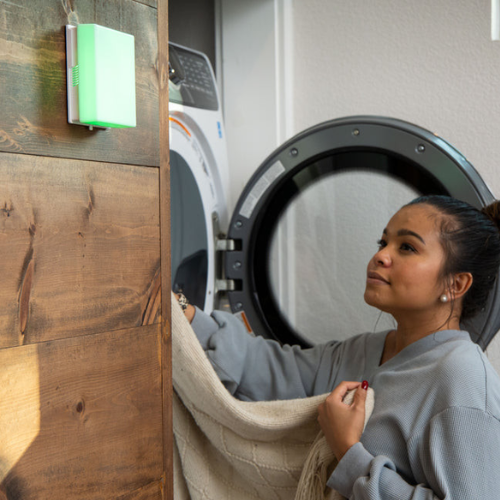
The Smart Flasher is the flagship visual alert unit. When triggered, it produces a strong, noticeable flash of light designed to be visible even from across a room or from a different angle. Because it's WiFi-connected, it can receive alerts from compatible SquareGlow smart sensors and be configured through an app. A strong choice for clients comfortable with technology who live in a home with stable WiFi — particularly where you want one device to respond to multiple triggers (door, window, phone, and so on).
View productNon-WiFi Flasher
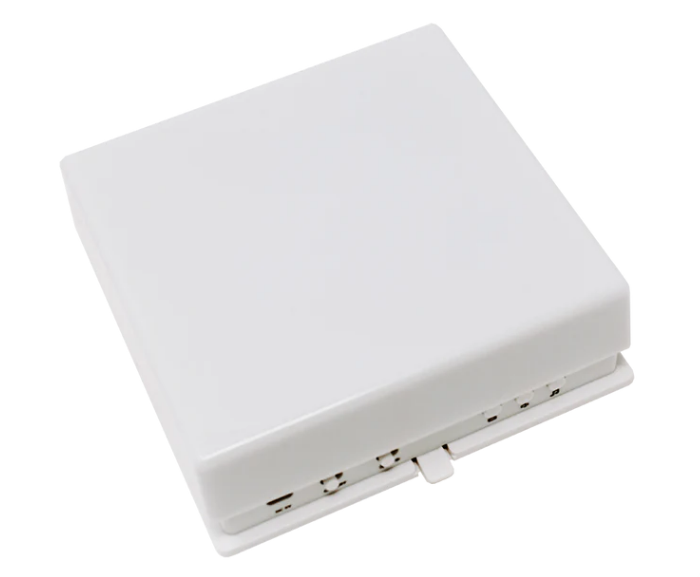
The standalone version of the Flasher. It pairs directly with non-WiFi sensors and transmitters via radio frequency and needs no internet connection or app to function. For clients in regional areas, older adults less comfortable with networked devices, or any situation where reliability and simplicity matter most, this is often the more practical recommendation. The lower price point also makes it more accessible for clients with tighter budgets or limited NDIS funding.
View productSmart Strobe
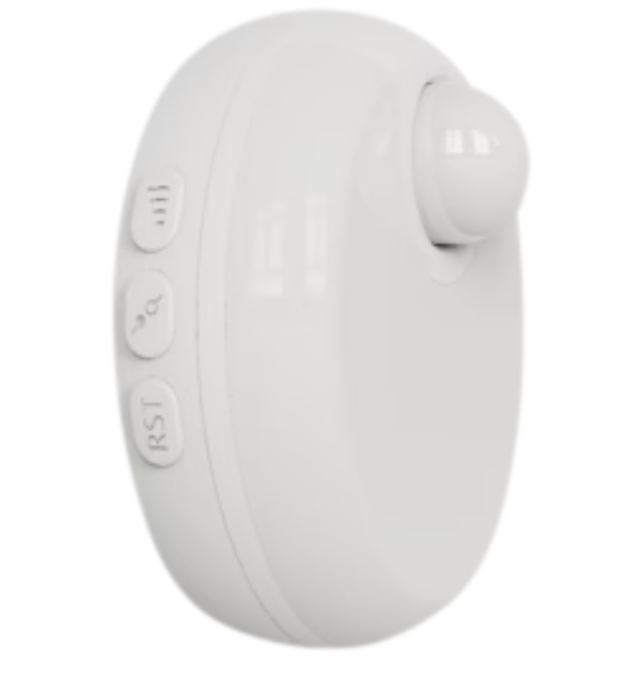
The Smart Strobe delivers a rapid, high-intensity strobe-style flash — more attention-demanding than the steady flash of the standard Flasher. This can benefit clients with more significant visual impairment alongside hearing loss, or larger rooms and open-plan spaces where a subtler flash might be missed.
Tap It
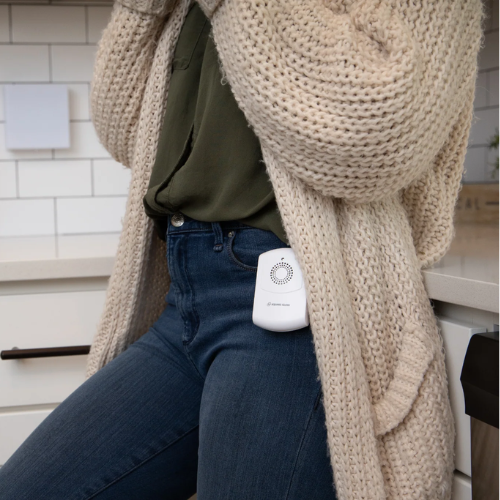
A wearable device the client carries on their body — on a wrist, in a pocket, or clipped to clothing — which vibrates when triggered by a paired sensor or transmitter. This is the product to reach for when visual alerts aren't sufficient or appropriate: clients who are DeafBlind, who sleep through flashing lights, or who work in bright environments where a flash would be invisible. It's also a valuable complement to visual alerts, letting a client receive an alert even when they're not in the same room as the Flasher.
View productSensors and triggers: detecting what matters
These devices detect activity and send a signal to whichever alert receiver the client has. They're the "input" side of the SquareGlow system.
Smart Doorbell
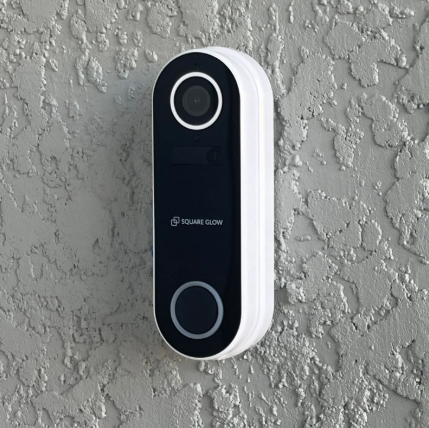
A full doorbell replacement unit that connects to WiFi and sends an alert to the client's paired Flasher or app when a visitor presses the button. For clients who frequently miss visitors or delivery drivers, this is a high-impact addition. The WiFi connection means alerts can also be forwarded to a smartphone — useful if a family member or support worker also wants to be notified.
View productWireless Doorbell
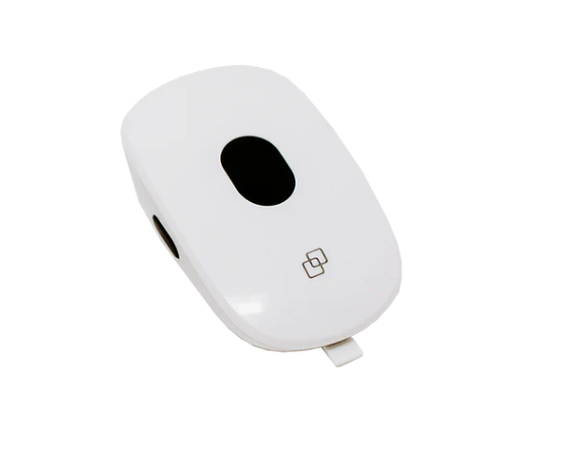
A simpler, more affordable doorbell that pairs directly with the Non-WiFi Flasher or Tap It. No app, no configuration, no internet required — press the button outside, and the receiver fires inside. An excellent entry-level recommendation where cost is a constraint.
View productOutdoor Motion Sensor
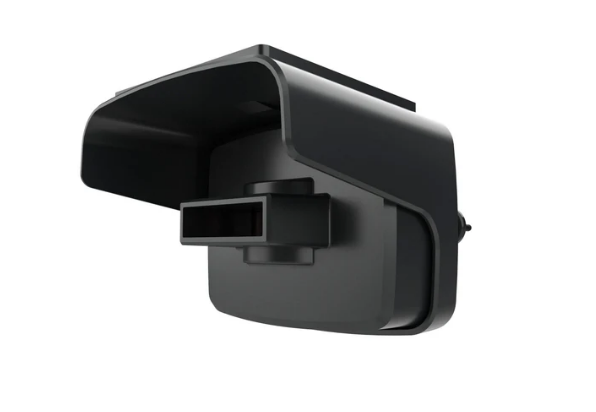
Detects movement outside the home — on a path, in a driveway, or near an entry point — and triggers the paired alert receiver. Particularly valuable for clients who live alone and want to know when someone is approaching, giving them time to prepare rather than being startled. It also has security utility: a client who can't hear an intruder approaching can still receive a visual or tactile warning.
View productDoor/Window Sensor
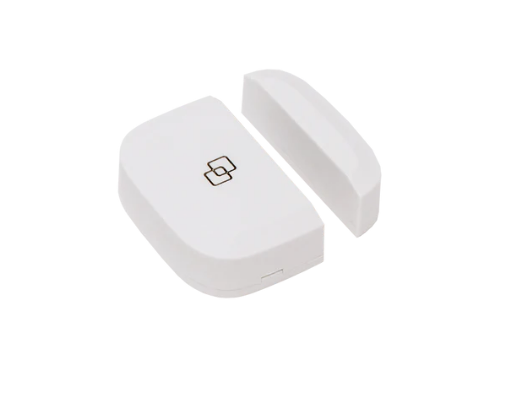
A magnetic contact sensor that alerts when a door or window is opened or closed — one of the most versatile and affordable products in the range. Clinically useful for clients who need to be alerted when a specific door is opened: a parent who is hard of hearing and needs to know when a child's bedroom door opens at night, or a client in supported accommodation who needs awareness of who is entering or leaving their space.
View productEmergency SOS Button
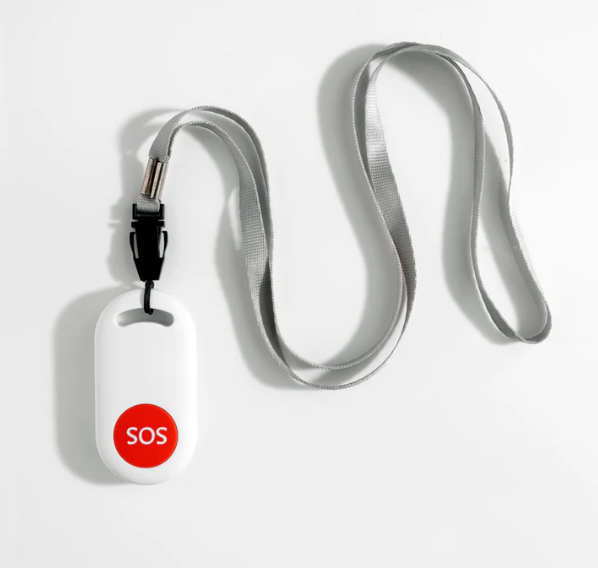
A wearable or portable panic button that, when pressed, immediately triggers the paired alert receiver — signalling to anyone nearby that the user needs help. For clients who live alone or have medical vulnerabilities, this creates a rapid way to summon assistance without relying on a voice call. It works in both directions: a person with a hearing impairment can press it to alert a hearing support worker or family member nearby.
View productCalling Remote
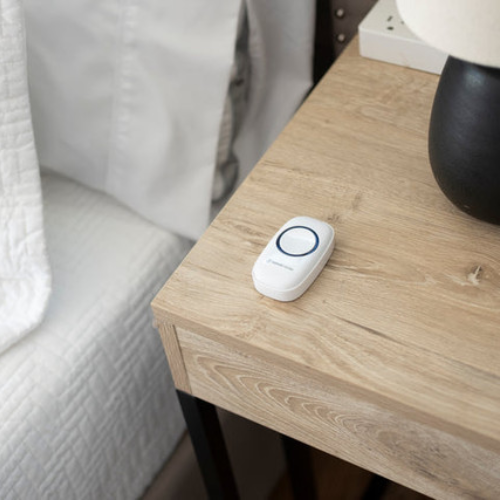
A portable trigger button that flashes the paired receiver when pressed — functioning essentially as a way to "call" someone in another room without using voice. Particularly useful in shared living or support environments where a client needs to summon a support worker discreetly and without shouting.
View productPhone Signaller
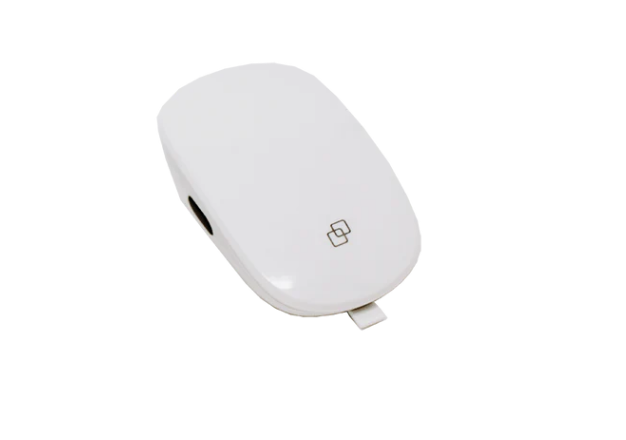
Connects to a landline telephone and triggers a visual flash alert when an incoming call arrives. For clients who still use a landline — common among older adults — this ensures incoming calls aren't missed. Also worth considering for workplace settings where a client has a desk phone and needs to know when it's ringing.
View productComplete kits: starting a full system
HomeKit (Non-WiFi)
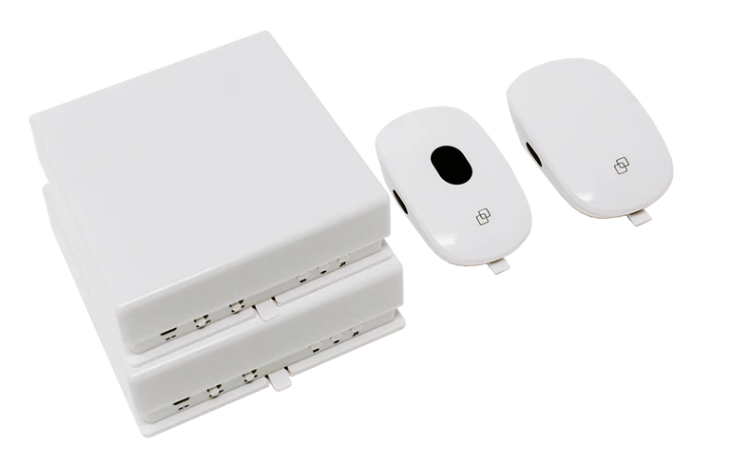
A pre-matched bundle combining non-WiFi sensors and alert receivers into a ready-to-use home alert system. A strong recommendation for clients who need a comprehensive setup without the complexity of WiFi configuration — everything works out of the box and doesn't depend on a router, password, or ongoing internet connection. Ideal for clients in aged care, SDA housing, or any setting where IT infrastructure is limited or unreliable.
View productSmart Home Kit
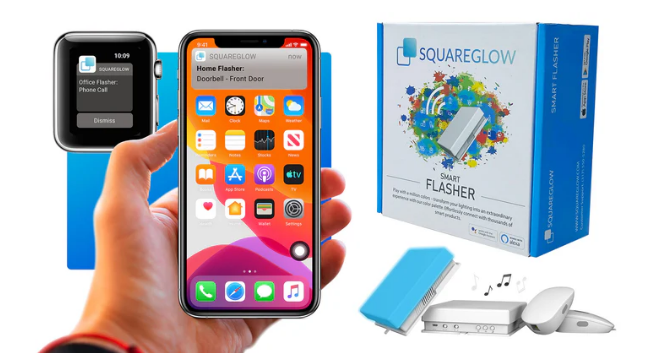
The most complete offering in the range: a WiFi-connected bundle with smart sensors, a Flasher, and typically a Tap It or additional receivers. For clients comfortable with technology who want a fully integrated, app-manageable system, this delivers the broadest coverage in a single purchase — and it's the most cost-effective way to get multiple components, compared to buying individually.
View productChoosing the right products for your client
SquareGlow products work best when matched to the client's specific environment, daily routines, and sensory profile. Here are the key questions to guide your assessment.
Does the client have reliable home WiFi?
If yes, the Smart range unlocks app integration and multi-trigger flexibility. If no, the Non-WiFi range is the safer, simpler choice.
Does the client have functional usable vision?
Visual flashers and strobes work well for most hard-of-hearing clients. For DeafBlind clients, the Tap It wearable is essential.
What are the key alert moments in their day?
Map the triggers: doorbell, phone, door/window movement, outdoor approach, calling for help. Each has a matched sensor.
Does the client have photosensitive epilepsy?
If yes, the Smart Strobe is contraindicated. Opt for the Tap It vibrating alert or discuss suitability with the client's treating team.
Is this for home, work, or both?
The Tap It and Calling Remote are portable enough for workplace use. Most flashers and sensors are designed for fixed installation.
What is the client's NDIS funding situation?
Maximise Technology is a registered NDIS provider. Orders can be placed online with invoicing, and quotes are available on request.
NDIS funding and ordering
Summary: SquareGlow at a glance
SquareGlow fills a genuine and often underserved need in the assistive technology landscape. Many clients with hearing loss are either unaware that products like these exist, or have been relying on workarounds — asking others to listen out for them, keeping doors open, or simply missing alerts entirely. SquareGlow provides a practical, dignified, and scalable solution that can meaningfully increase a person's independence, security, and quality of life.
As a support worker or therapist, you're in the best position to identify when these products are relevant and to help a client navigate to the right combination for their environment. The range is modular — clients can start with a single doorbell and Flasher pair and expand as needs grow — and Maximise Technology's team is available to help with product selection and NDIS ordering.
Browse the full SquareGlow range
Available online with NDIS invoicing, quotes on request, and free shipping on most orders over $250. For personalised service, call 1300 769 374 or email hello@maxmisetechnology.com.au.
Shop SquareGlow at Maximise Technology